You are losing minutes of your life every single time you type the same email response.
Repetitive typing is the silent killer of productivity. It drains your mental energy and slows down your output. Most people try to solve this by copying and pasting from a "Master Doc" or a notes app.
But that approach creates its own set of problems. You end up in a cycle of clicking, searching, and switching. This is what we call the Toggle Tax.
The High Cost of the Toggle Tax
Every time you switch between your email and a document to find a response, you pay a mental price.
Research shows that even a brief interruption can cause a 40% drop in productivity. When you "toggle" between windows, your brain has to re-orient itself to the new task. You lose your flow. You lose your focus.
Saved replies should be at your fingertips, not hidden in another window.
If you have to leave your current tab to find a snippet of text, you are already working too hard. The Toggle Tax accumulates throughout the day until you're exhausted by 3:00 PM.
Stop the 47-Tab Hunt
We’ve all been there. You know you wrote the perfect answer to a customer's question yesterday. Now, you’re hunting for it.
You start clicking through dozens of open tabs. You check your "Sent" folder. You look through Slack. You check your notes.
This is the 47-tab hunt. It’s a frantic search for information you’ve already created. It’s a waste of your most valuable resource: time.
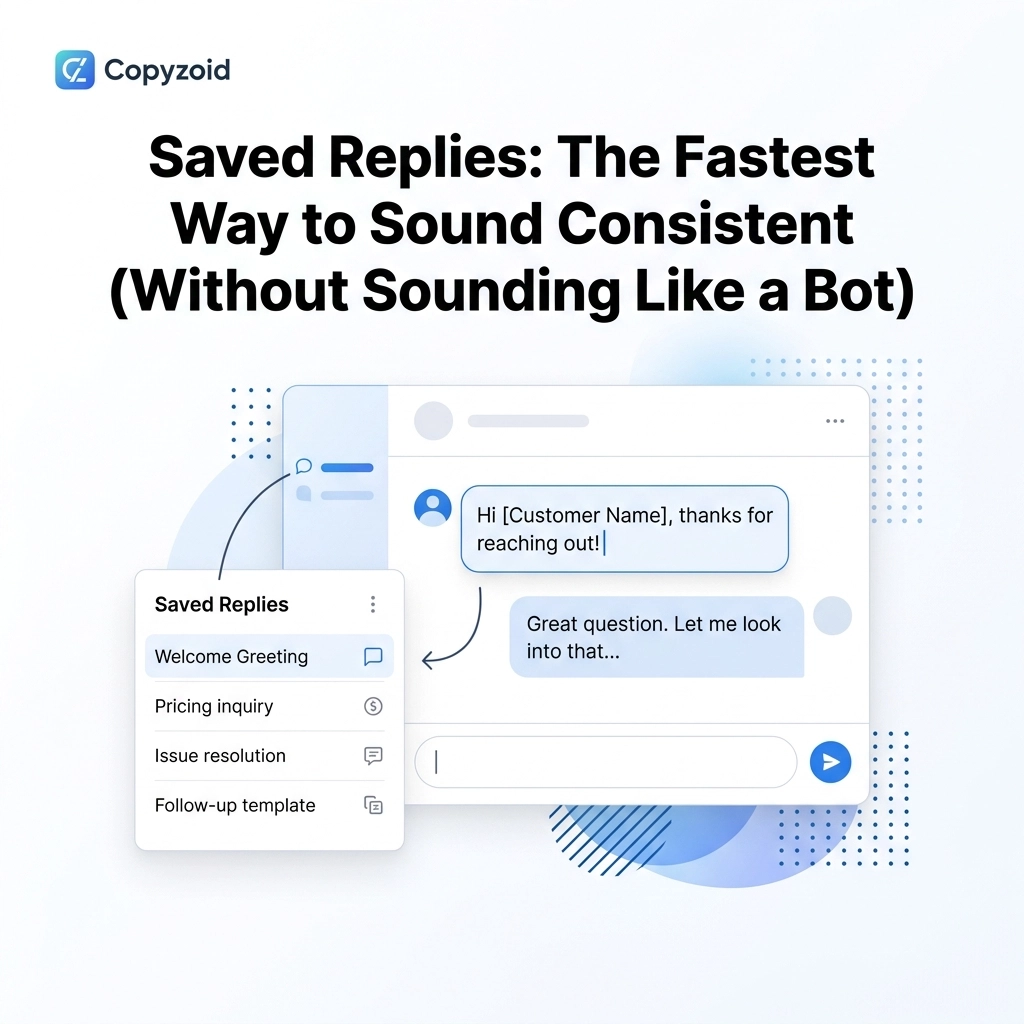
Using saved replies eliminates the hunt. Instead of digging through a digital graveyard of old messages, you have a clean, organized library ready to go.
Why Templates Often Sound Like Bots
The biggest fear people have with saved replies is sounding like a robot.
Generic templates feel cold. They lack the personal touch that builds trust with clients and colleagues. When a customer receives a message that says, "Dear Customer, we have received your inquiry," they know they’re just a ticket number.
Standard templates are rigid. They don’t adapt to the specific context of the conversation.
To sound like a human, you need more than just a block of text. You need a way to personalize that text instantly.
Sound Human with Smart Variables
The secret to a high-quality saved reply is the use of smart variables.
Variables allow you to keep the core structure of your message while swapping out specific details. Instead of "Dear Customer," your reply can automatically prompt you for the person's name.
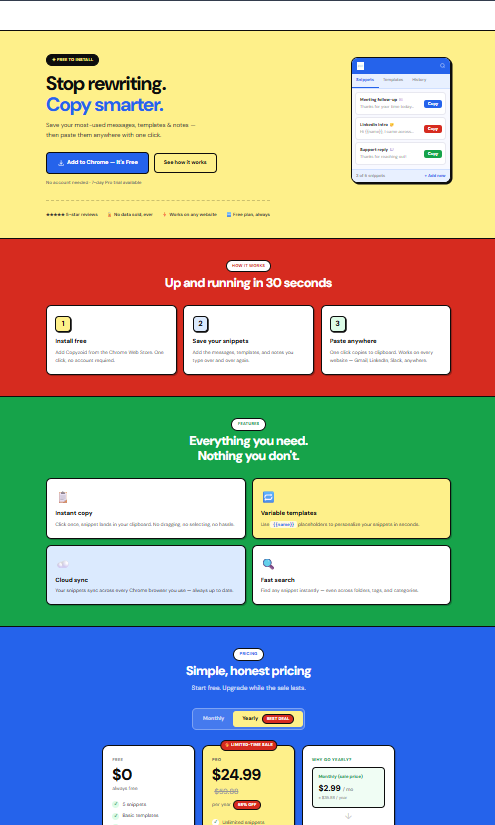
With Copyzoid, you can build snippets that include placeholders for:
- Names
- Dates
- Order Numbers
- Product Details
This allows you to maintain a consistent brand voice across every interaction without sacrificing the personal connection. You get the speed of a machine with the warmth of a human.

The Copyzoid Workflow: Ctrl+B and Done
Efficiency is about reducing the number of steps between a thought and an action.
Most tools require you to click a button, open a menu, or navigate a complex interface. Copyzoid simplifies this to a single keyboard shortcut: Ctrl+B.
- Press Ctrl+B to open your snippet library.
- Type a few letters to find the reply you need (fuzzy search).
- One-click copy or hit Enter to grab the text.
You never have to touch your mouse. You never have to leave your browser tab. You stay in your flow state while your output triples.
This is how you eliminate the Toggle Tax once and for all.
Maintaining Consistency Across Your Team
If you’re working in a team, consistency is even more difficult to achieve.
Everyone has their own way of explaining things. One person might be too casual, while another is too formal. This creates a fragmented experience for your users or clients.
By using a shared set of saved replies, your entire team can speak with one voice.
You can store the "best" version of every answer in your clipboard manager for Chrome. When the team uses these vetted snippets, the quality of your communication remains high, regardless of who is typing.
The Mental Freedom of Pre-Written Content
Typing the same thing over and over isn't just slow; it's boring.
Repetitive tasks lead to burnout. When your brain is occupied with "the hunt" for old text, you have less room for creative problem-solving.
When you use saved replies, you offload the "low-value" thinking to your tools. You don't have to remember how to phrase the refund policy for the tenth time today. You just call up the snippet.
This frees up your brain to handle the unique, complex parts of your job that a bot actually can't do.

4 Practical Ways to Use Saved Replies Today
Not sure where to start? Here are four common scenarios where saved replies save hours every week:
1. Customer Support
Handle common "How-to" questions or status updates in seconds. Use variables to insert the customer’s name and specific ticket ID so it feels personal.
2. Sales Outreach
Keep your follow-up emails consistent. Use snippets to quickly drop in case studies or booking links.
3. Recruiting
Send interview invites or rejection letters that are professional and polite. You can ensure every candidate gets a timely response without spending all day in your inbox.
4. Internal Project Management
Use snippets for weekly status report templates or meeting agendas. This ensures every update follows the same format, making it easier for your boss to read.
Simple Setup, Massive Returns
The beauty of Copyzoid is its simplicity. You don't need a 2-hour training session to get started.
You can start saving your first replies in under 60 seconds. As you notice yourself typing a specific phrase more than once, just save it as a snippet.
Over time, you’ll build a powerful library that acts as an extension of your own memory.
Reclaim Your Time Now
Every minute spent on the 47-tab hunt is a minute you aren't growing your business or finishing your work early.
The "Toggle Tax" is an optional expense. You can choose to stop paying it.
By moving your most-used text into Copyzoid, you transform your browser into a productivity powerhouse. You sound professional, you stay consistent, and most importantly, you get your time back.
Stop hunting. Start typing less and doing more.
If you’re ready to streamline your workflow, check out our simple pricing plans and join the thousands of knowledge workers who have reclaimed their focus.
Check out Copyzoid.com to get started for free. Your brain (and your tabs) will thank you.
Leave a Reply