

You probably spend more time typing the same five sentences than you realize.
Every day, knowledge workers fall into a trap of repetitive manual tasks. You type your email address, your Zoom link, or that standard "Let’s hop on a call" message dozens of times.
It feels like it only takes a few seconds. But those seconds add up to a massive productivity leak.
Recent data shows that knowledge workers waste an average of 4.2 hours every single week on repetitive typing and searching for information. That is nearly ten percent of your entire work week gone.
If you want to save time typing, you need a better system than "copy and paste" from a messy Word document. You need a dedicated snippet manager.
The Real Cost of the "Typing Tax"
Think about your typical Monday morning. You sit down to clear your inbox.
You find yourself typing the same greeting over and over. You search through sent items to find a specific technical explanation you wrote last week.
Each time you switch tabs to find a piece of text, your brain loses focus. This is the typing tax.
It’s not just the physical act of typing; it’s the mental fatigue of context switching. When you have to stop what you're doing to hunt for a link or a template, you break your flow state.
By using a productivity browser extension like Copyzoid, you can eliminate this friction entirely.
Meet Your New Secret Weapon: Ctrl+B
The biggest hurdle to using a snippet manager is usually the effort required to actually use it. If you have to open a new app to find your text, you haven't really saved much time.
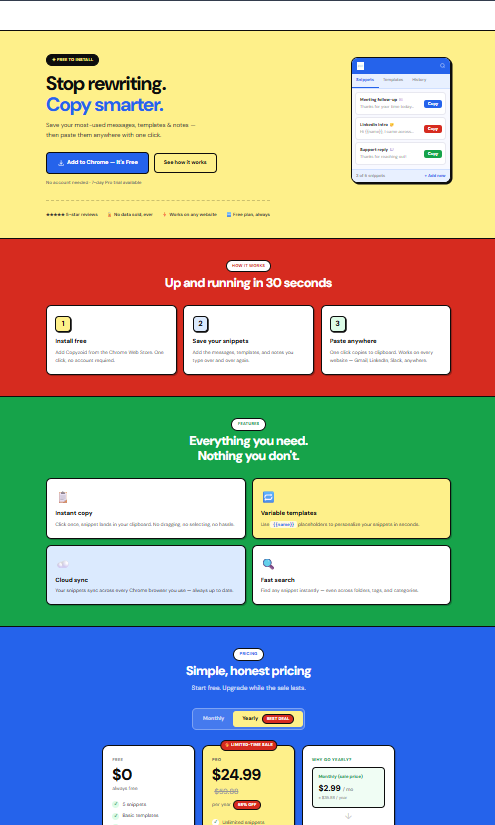
That is why Copyzoid is built directly into your workflow.
The Ctrl+B shortcut is the core of the experience. No matter what website you are on: Gmail, LinkedIn, Zendesk, or Slack: you simply hit Ctrl+B.
A clean, searchable overlay appears instantly. You find the snippet you need, hit enter, and it’s copied to your clipboard.
It is a one-click copy system that keeps your hands on the keyboard and your mind on the task. No more hunting through browser tabs or sticky notes.
Why You Need a Snippet Manager
A snippet manager is more than just a list of saved text. It is a central nervous system for your digital communication.
Here is what it allows you to do:
- Standardize your messaging: Ensure your tone is consistent across every email.
- Eliminate typos: Stop sending the wrong link or misspelling your own calendly URL.
- Speed up response times: Respond to common inquiries in three seconds instead of three minutes.
- Reduce stress: Stop worrying about where you "saved that one thing."

Organize Everything with Easy Folders
If you have a lot of snippets, things can get messy fast. Copyzoid solves this with easy organization and folders.
You can create folders for different areas of your life and work.
Maybe you have a folder for Sales Outreach, one for Support Templates, and another for Personal Links.
This logical structure means you don't have to scroll through a long list of text. You can navigate your folders or use the fast fuzzy search to find exactly what you need in a heartbeat.
When your snippets are organized, your brain feels organized. You move from being reactive to being proactive and efficient.
Real-World Examples of Time Saved
Let's look at how this works for different roles.
1. Customer Support Heroes
If you handle support, you probably answer the same ten questions all day. "How do I reset my password?" or "What is your refund policy?"
With Copyzoid, you can turn those answers into canned responses. Instead of typing for two minutes, you use the Ctrl+B shortcut and finish the ticket in seconds.
2. Busy Founders and Sales People
Founders like Israel at Copyzoid know that time is the most valuable resource.
When you're doing outreach, you need to be fast. Having your bios, company descriptions, and booking links ready to go means you can reach more people without burning out.
3. Software Developers
Developers often need to paste the same code blocks, terminal commands, or documentation links.
Using a productivity browser extension to store these snippets prevents the "where did I put that code?" scavenger hunt.

The Math of 4.2 Hours
Let's do some quick math on that 4.2 hours a week statistic.
If you save 4.2 hours every week, that is 16.8 hours a month. Over a year, that is over 200 hours of reclaimed time.
That is five full work weeks of time you currently spend on mindless, repetitive work.
Imagine what you could do with an extra five weeks a year. You could launch a new project, spend more time with your family, or simply finish your workday at 3:00 PM instead of 5:00 PM.
The goal isn't just to "work more." The goal is to eliminate the boring stuff so you can focus on the work that actually matters.
Simple, Cloud-Synced, and Fast
One of the biggest frustrations with basic clipboard managers is that they only work on one computer.
Copyzoid offers cloud sync. This means your snippets are available wherever you are signed into Chrome.
If you add a new snippet on your work laptop, it’s waiting for you on your home PC. It’s seamless, fast, and completely invisible.
The extension is designed to be simple. There is no complex setup or steep learning curve. You install it, add your first snippet, and you are immediately faster.

A Generous Free Plan
We believe that everyone should have access to basic productivity tools. That is why Copyzoid offers a generous free plan.
You can start organizing your snippets and using the Ctrl+B shortcut today without spending a dime.
As you grow and your library of snippets becomes a vital part of your workflow, we have simple pricing options to unlock even more power.
You can check out our pricing page to see which plan fits your needs. But for many, the free plan is the perfect place to start reclaiming those 4.2 hours.
Stop Typing, Start Doing
The difference between a productive worker and a frustrated one is often the tools they use.
You don't need to work harder. You just need to stop doing the same task twice.
If you find yourself typing the same thing more than three times, it belongs in a snippet manager.
Download the Copyzoid extension today. Set up your folders. Save your first few snippets.
Hit Ctrl+B and feel the immediate relief of not having to type that paragraph for the hundredth time.
Your time is too valuable to waste on the "typing tax." Take your 4.2 hours back.
Leave a Reply