
You are probably spending hours every week typing the exact same sentences over and over again.
Whether it is "How can I reset my password?" or "What is your refund policy?", repetitive typing is the silent killer of support team productivity.
Most knowledge workers lose a staggering amount of time to manual data entry and repetitive messaging.
In fact, using the right canned response software can save you up to 4.2 hours every single week.
That is more than half a day of work returned to you, simply by eliminating the "copy-paste" dance from your workflow.
If you want to provide unforgettable support without burning out, you need a system for your customer support templates.
Let’s look at the top 5 solutions to help you reclaim your time.
1. Zendesk: The Heavyweight Champion
Zendesk is a massive name in the support world for a reason.
It offers a high-level AI-powered canned response management system built directly into its helpdesk platform.
Instead of just storing text, Zendesk's AI analyzes the context of a customer's ticket.
It then suggests specific "macros" (their version of canned responses) to help agents respond faster.
Reports show that teams using these automations can respond up to 50% faster than those doing it manually.
It is a great choice if you are a large enterprise and need a tool that works across email, live chat, and social media.
2. Freshdesk: Simplification at Scale
Freshdesk is another comprehensive help desk platform that focuses on making support intuitive.
Their native macro and quick reply features are built for teams that need to handle high volumes of inquiries.
One of its best features is the bulk editing capability.
If you have 50 tickets all asking about a service outage, you can apply a single canned response to all of them at once.
It streamlines the process across multiple channels, ensuring your branding stays consistent even when your team is under pressure.

3. HappyFox: Workflow-Driven Responses
HappyFox takes canned responses a step further with its "Canned Actions" feature.
This isn't just about text; it is about logic.
When you trigger a response in HappyFox, the software can simultaneously update the ticket status, change the priority, and move it to a different department.
It uses team-specific template libraries, so your billing team doesn't have to sift through technical support snippets.
It transforms your canned response software into a full-scale workflow engine.
4. EasyDesk: Cloud-Based Context
EasyDesk provides a centralized, cloud-based ticketing system that focuses on the "shared library" concept.
The goal here is consistency.
Every agent on your team has access to the same approved customer support templates.
You can personalize these responses easily by inserting placeholders for customer names or order numbers.
This ensures that while the response is "canned," it never feels robotic to the person receiving it.
It keeps the tone professional and within company policy across every interaction.
5. Rhino Support: The Speed Specialist
Rhino Support is often cited as one of the fastest-loading platforms in the industry.
It keeps things simple.
Creating a canned response takes seconds, and the collaboration features are built-in.
If an agent sees a ticket they can't handle, they can ping a colleague via email directly from the platform.
It is a great middle-ground for teams that want a ticketing system without the overwhelming complexity of an enterprise-grade tool.
The Problem with Traditional Helpdesks
While the tools above are powerful, they often have one major drawback: they only work inside their own platform.
If you are writing an email in Gmail, a message on LinkedIn, or a comment on a bug tracker, those built-in canned responses are useless.
You find yourself jumping back and forth between tabs, searching for the right text to copy.
This "context switching" is where productivity goes to die.
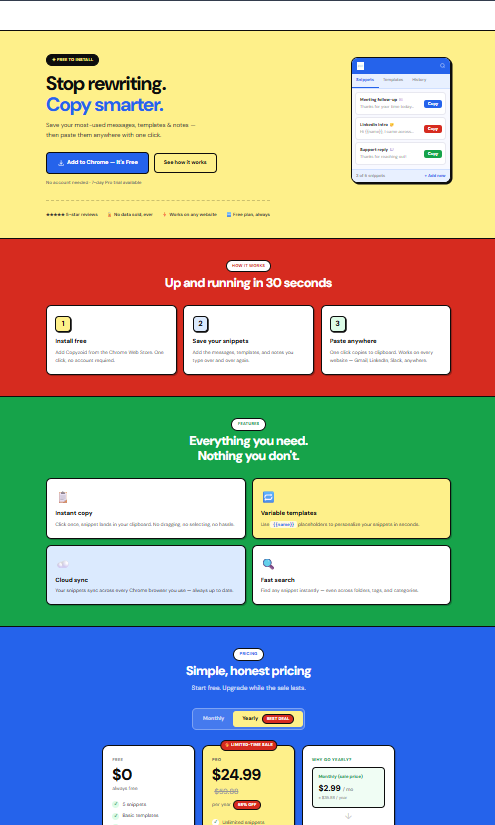
This is exactly why we built Copyzoid.
Copyzoid: The Minimalist Alternative
Copyzoid isn't a massive, bloated helpdesk.
It is a productivity browser extension designed to live wherever you work.
Instead of being stuck in a single dashboard, Copyzoid follows you across the web.
Whether you are in Zendesk, Gmail, or your company's proprietary CRM, your canned responses are always one click away.
The 4.2-Hour Hook
We focused on one thing: speed.
By using Copyzoid to manage your snippets and templates, you save an average of 4.2 hours per week.
That is time you can spend on complex problem-solving rather than re-typing your "Welcome" email for the thousandth time.
The Power of Ctrl+B
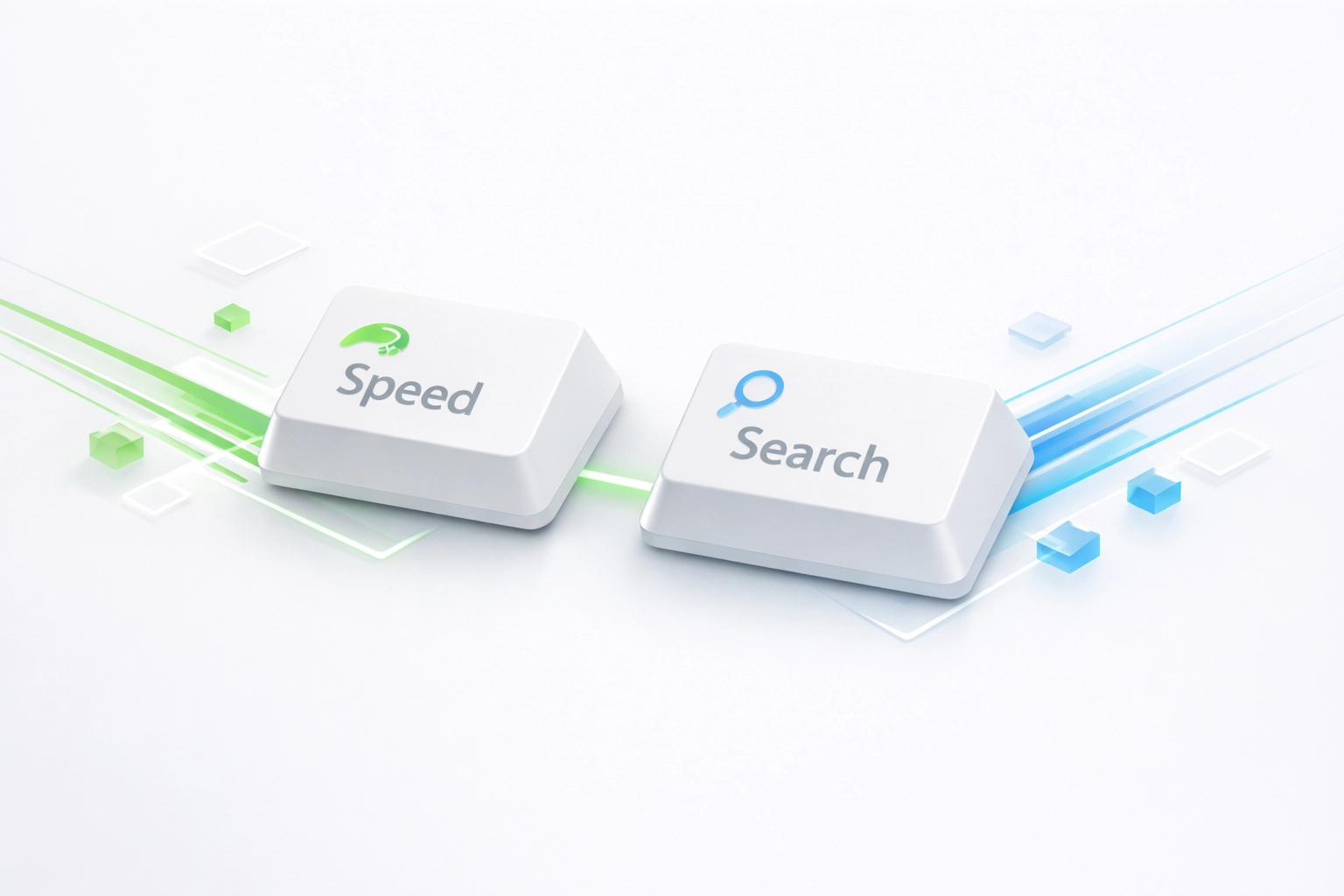
The core of the Copyzoid experience is the Ctrl+B shortcut.
You don't need to open a new tab or search through a menu.
- Hit Ctrl+B.
- Search for your snippet using our fast fuzzy search.
- Press enter to copy.
It is that simple.
No fluff. No birds. Just functional efficiency.
Key Features for Support Professionals
If you are managing customer support templates, you need more than just static text.
You need flexibility.
- Variable Templates: Insert placeholders like
{Customer Name}or{Ticket ID}. Copyzoid lets you fill these in on the fly so your messages stay personal. - One-Click Copy: See a snippet you need? One click and it is on your clipboard.
- Cloud Sync: Create a template on your laptop and access it instantly on your desktop. Your team stays synced without effort.
- Simple Organization: Organize your responses by category: Sales, Technical, Refunds: so you never lose a snippet again.

Why "Simple" Wins Every Time
In the world of canned response software, it is easy to get distracted by flashy AI features.
But at the end of the day, support is about communication.
The faster you can communicate clearly, the better the customer experience.
Complex tools require training.
They require "onboarding sessions" and "implementation managers."
Copyzoid requires about 30 seconds to set up.
You install the extension, add your first snippet, and you are already faster than you were a minute ago.
We believe in minimalist visual style and functional design.
Your tools should get out of the way so you can do your job.
Comparing the Landscape
| Feature | Large Helpdesks (Zendesk/Freshdesk) | Copyzoid |
|---|---|---|
| Complexity | High (Learning curve) | Very Low (Instant) |
| Platform | Stuck inside their dashboard | Anywhere in your browser |
| Speed | Medium (Search & Click) | High (Ctrl+B shortcut) |
| Price | Expensive per seat | Affordable/Free Tier |
| Focus | Ticket management | Text productivity & speed |
If you are a solo founder or a small support team, you might not need a $100/month ticketing system.
You might just need a better way to manage your text.
How to Build an "Unforgettable" Support Library
Having the software is only half the battle.
To create unforgettable support, your canned responses need to be high quality.
Here are three tips for better templates:
- Be Human: Even if it is a template, use a casual, friendly tone. Use "I'm sorry to hear that" instead of "Issue acknowledged."
- Use Variables: Never send a "Dear Customer" email. Use Copyzoid’s variable features to ensure you always use their name.
- Audit Regularly: If a snippet is getting outdated, update it. Cloud sync ensures that when you update a template, your whole team gets the new version instantly.
Take Back Your Tuesday
Don't let another week go by where you lose 4.2 hours to the "copy-paste" void.
Whether you choose a full-scale helpdesk or a lightning-fast extension like Copyzoid, the goal remains the same: efficiency.
Support doesn't have to be a grind of repetitive tasks.
By automating your most common replies, you free up your brain to actually help people.
Check out our pricing page to see how we can help your team scale without the stress.
Ready to stop typing and start supporting?
Give Copyzoid.com a try.
It is the simplest way to manage your canned responses and get your time back.
Ctrl+B. Search. Copy. Done. ✉️ 📝 🔁
Leave a Reply